


Face Swap AI Video by SwapFace
4.045.00 Reviews
App Specs
- Version
- 2.7.
- Updated On
- License
- Free
- Downloads
- 100,000+
- Developer
- JuicyApps LLC
- Categories
- Video Players & Editors
- Platform
- Android
Screenshots
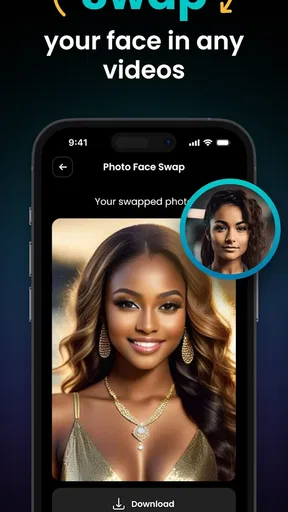
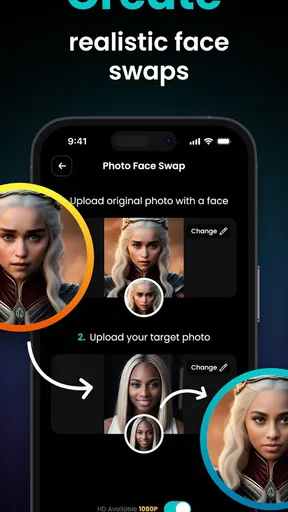
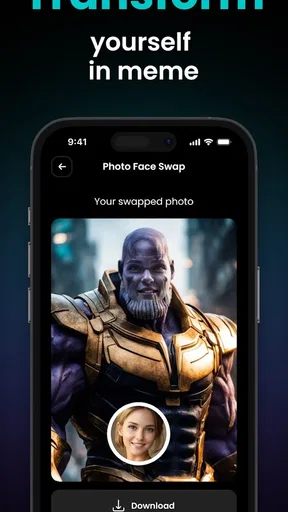
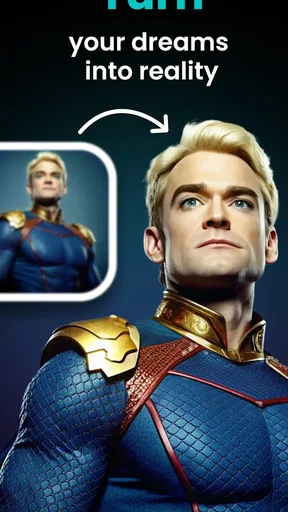
 Analysis by AppCompare
I approach Face Swap AI Video by SwapFace as a small creative tool rather than a full video-editing studio. Its appeal is immediate: start with a face and a clip, then see whether the combination makes you laugh enough to share. That makes it a natural fit for quick jokes, themed posts, and playful experiments, but the result still depends on choosing material that suits the effect.
Start with the idea, not just the effect
Before opening a face-swap app, I find it helps to decide what the finished clip is supposed to do. A familiar movie-style moment can work as a personal joke, while a short reaction scene may suit a group chat better than a public post. The strongest starting point is usually a clear visual idea, not simply the most dramatic template available.
SwapFace is a video app from JuicyApps LLC in the video players and editors category. It is free to install, rated for Everyone, and has a 4.1 average from around 1,800 ratings, with more than 50,000 installs. Those figures suggest a modest but established audience; they do not tell me whether a particular template will fit my sense of humor, so I would judge it by making a small test before planning a bigger post.
It is especially suited to people who want a quick, recognizable transformation without learning a timeline editor. If your goal is to build a carefully edited short film, control every cut, or make a polished branded video, a conventional editor gives you more dependable control over pacing, titles, sound, and the final composition. I see this app as a playful source of one visual gag, not a replacement for that broader workflow.
Making a swap that feels intentional
So, first things first, downloading and installing the Face Swap AI Video app is a breeze. Whether you're on Android or iOS, just snag it from your app store, and you're good to go. After a quick setup, you're ready to dive into the world of face swapping.
Once inside, the app greets you with a simple and intuitive interface. You've got your main tools and options laid out clearly, so there's no fumbling around trying to figure out what does what. Trust me, even if you're not tech-savvy, you'll feel right at home.
The Face Swapping Magic
Alright, let’s get to the juicy part—actually swapping faces. The app uses some pretty nifty AI technology to make this happen. You can either upload a video or choose from their library of clips. And yes, they have a ton of hilarious and entertaining options to choose from. Think superhero scenes, viral memes, and more.
Worth Reading Before You Choose

EA SPORTS FC Mobile 26 Is a Bigger Football Game, but It Takes Time

Flipboard Shows What News Apps Must Do Beyond the Feed

Switching to Android Auto Means Rethinking Your Driving Routine

Google Calendar Makes a Crowded Week Easier to Manage

Ludo King Makes the Most of the Minutes Between Plans

Baby Panda World Brings Quick Play to Modern Phones, but Its Game Library Feels Busy
Now here’s where the magic kicks in. After choosing your video, you simply upload a photo of your face or anyone else's. The AI does its thing, and voila! Suddenly, you're the star of the show. The transition is surprisingly smooth, and the results are impressive. It's not just a static image pasted over a video; it moves and emotes with the original actor, making it feel almost surreal.
Choosing source material carefully
A useful detail in this kind of workflow is that the photo and the clip are partners: a good source image cannot rescue every awkward match. I would start with a clear, front-facing portrait and try a short clip before spending time on a longer idea. If the face is turned sharply, partly covered, or poorly lit in the source image, the swap may look less convincing; picking a scene with a similar angle and steady visibility is a practical way to improve the odds.
For an everyday example, imagine making a birthday message for a friend who enjoys silly movie references. I would choose a brief, recognizable scene, use a photo they are comfortable having shared, and preview the result before sending it to the group chat. That small check matters: a funny private joke can feel very different when posted publicly, especially if the person in the photo did not expect to be included.
Iteration without losing the joke
One of the things I really appreciate about Face Swap AI Video is its ease of use. The developers have clearly put a lot of thought into making this app accessible to everyone. You don’t need to be a tech wizard to create something amazing.
Another standout feature is the app's editing tools. You can tweak your swaps to perfection with various filters and adjustments, ensuring that everything looks as polished as possible. Plus, there’s a fun selection of special effects to enhance your videos further.
My practical advice is to make changes with restraint. A filter or effect can help establish the mood, but piling on treatments can distract from the face swap that is meant to carry the joke. I would compare a lightly adjusted version with a more decorated one and keep the edit that reads clearly on a phone screen. If the expression is already doing the work, extra polish may make the clip feel busier rather than better.
It is also worth treating each attempt as a draft, not assuming that the first output is ready to publish. Try another suitable photo or clip if the alignment feels off, then make only the adjustments that solve a visible problem. That is a more efficient loop than changing everything at once, because you can tell which choice actually improved the result.
From preview to sharing
And for those who love sharing their creations, the app makes it super simple to post your masterpieces directly to your favorite social media platforms. Whether you’re looking to impress your Instagram followers or just share a laugh with friends, it’s all at your fingertips.
For a creator, the handoff is where a novelty becomes a usable post. I would watch the whole clip before sharing, not just inspect the opening frame: an effect that looks convincing at first can become less natural as the scene changes. If the result is meant for a specific platform, check its crop and presentation there as well, rather than assuming a clip that looks good in one preview will look identical everywhere.
There is a trade-off between speed and control. A template-based face swap can get to a recognizable gag faster than building a scene in a general editor, but it is not the right route when the job depends on exact timing, layered footage, detailed sound work, or precise typography. For those projects, I would make the main edit elsewhere and use SwapFace only if a face-swap moment genuinely adds something.
Costs, time, and sensible expectations
No app is perfect, and while Face Swap AI Video is pretty impressive, there are a few areas for improvement. For one, while the app is free to download, some of the cooler features are locked behind a paywall. If you’re a casual user, this might not be an issue, but if you’re looking to dive deep, be ready to consider some in-app purchases.
Its in-app purchases range from $7.99 to $39.99 per item, so I would explore the free experience first and decide whether a paid option solves a real need for me. The app is currently at version 2.7, and it requires Android 7.0 or later. Those details make it easier to assess compatibility and spending before building the app into a regular creative routine.
Another minor gripe is the processing time for longer videos. While short clips are handled quickly, longer ones can take a bit of time, which can be a tad frustrating if you're impatient like me.
That limitation changes how I would plan a session: test the concept with a short clip first, then commit to a longer one only when the source image and scene are working together. It is a useful way to avoid waiting on a longer render just to discover that the joke depends on a different expression or angle. If quick turnaround is essential, keeping the idea brief is the safer workflow.
Who will enjoy it, and who should choose another tool?
I would recommend it to casual creators, meme fans, and people who want a low-effort way to turn a photo into a playful video moment. It is most appealing when the goal is entertainment and the finished clip can stand on one clear visual joke. The app’s free entry point makes trying that process approachable, while optional purchases mean frequent users should think about whether the paid features are worth their own use.
I would steer someone toward a standard video editor if they need consistent control across a whole production, or toward a simple image editor if a still meme is all they want. Those alternatives can be less convenient for an animated face swap, but they are better suited to precise editing or a single static joke. SwapFace occupies the narrower middle ground: more animated than a quick image edit, less flexible than a full editor.
One question I would answer before using any face-based creative app is whether everyone shown is comfortable with the result being shared. For a private joke, I would still ask before using another person’s photo, and I would be more cautious with anything intended for a public account. The comedic effect should not come at the cost of surprising or embarrassing the person whose likeness appears.
Final Thoughts
Overall, Face Swap AI Video by SwapFace is an absolute blast. It's one of those apps that you can spend hours on without realizing it, just experimenting and having a good laugh. The technology behind it is impressive, and the potential for fun and creativity is huge.
If you're looking for a new way to entertain yourself and your friends, give it a go. Whether you're creating the next viral video or just having a bit of fun, this app has got you covered. So go ahead, download it, and get ready to swap faces and live out your wildest video fantasies.
My recommendation is to start with a short, low-stakes idea, use a photo that suits the scene, and preview the complete result before you share it. That approach lets you learn what works without committing money or time too early. If that quick, playful format is what you want, SwapFace is worth trying; if your brief calls for meticulous editing or predictable delivery, I would reach for a more comprehensive video editor instead.
Pros
- High-quality face swap results.
- Intuitive user interface.
- Wide variety of filters available.
- Fast processing times.
- Supports both photos and videos.
Cons
- Requires a stable internet connection.
- May not work well on older devices.
- Some features locked behind paywall.
- Occasional glitches in output.
- Limited customization options.
FAQs for Face Swap AI Video by SwapFace
What is Face Swap AI Video by SwapFace?
Face Swap AI Video by SwapFace is an innovative app that allows users to swap faces in videos using advanced artificial intelligence. The app provides seamless and realistic face swaps, making it ideal for creating entertaining video content. It's available on both Android and iOS platforms, offering a user-friendly interface for easy use.
Is the app free to use, or are there in-app purchases?
Face Swap AI Video by SwapFace offers a free version with basic features. However, to access premium tools and advanced functionalities, users may need to make in-app purchases or subscribe to a premium plan. This ensures a more comprehensive experience with added perks like HD exports and priority processing.
How user-friendly is the interface for beginners?
The interface of Face Swap AI Video by SwapFace is designed with simplicity in mind, making it accessible for beginners. Users are guided through the process with intuitive controls and clear instructions. Even those new to video editing can quickly learn how to perform face swaps effectively and creatively.
What are the privacy concerns when using this app?
Face Swap AI Video by SwapFace takes privacy seriously. The app requires access to your camera and gallery to function, but it does not store or share personal data without consent. Users can review the privacy policy to understand how their data is handled and what measures are in place to protect it.
Can the app be used offline, or does it require an internet connection?
While basic features of Face Swap AI Video by SwapFace can be used offline, an internet connection is required for optimal performance, especially for downloading additional content and updates. Online access also enhances the AI processing speed, ensuring smoother and more accurate face swaps.


